See it in action
Six built-in themes — switch live in the app. Dark, Light, High Contrast, Blood, Greed, and Cyanotic.
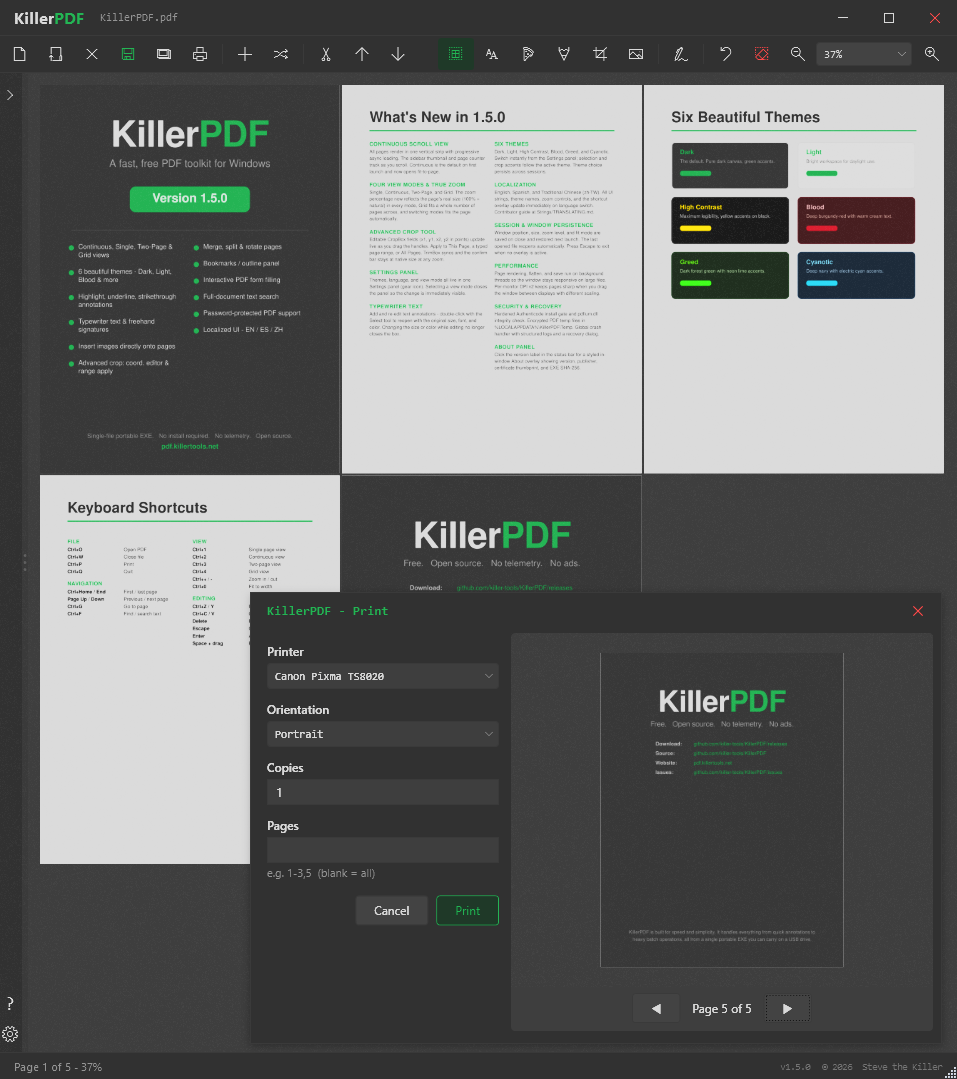
Dark theme — clean, focused reading and editing
Free. Open. No account. No subscription. No telemetry.
Built by a field tech who hates Adobe.
Six built-in themes — switch live in the app. Dark, Light, High Contrast, Blood, Greed, and Cyanotic.
Dark theme — clean, focused reading and editing
High-quality bitmap rendering via PDFium. Page thumbnails, Ctrl+scroll zoom, and keyboard shortcuts for fast navigation.
Combine multiple PDFs into one or extract selected pages into a new file. Drag-and-drop page reordering in the sidebar.
Double-click any line of text to edit it inline. Font matching from the original PDF preserves the look of the document.
Text boxes, freehand drawing, and highlight overlays with customizable colors, sizes, and opacity. Undo and clear per page.
Draw reusable signatures or import a PNG/JPG/BMP image as a signature. Click to place anywhere on a page. Signatures persist between sessions.
Ctrl+F full-text search with highlighted results. Drag-select to copy text, or Ctrl+A to grab the whole page.
Print with annotations flattened into the output. Ctrl+P or toolbar button sends directly to the system print dialog.
Three ways to get it running: drop the EXE anywhere and run it directly, use the built-in installer, or pull it from winget. No admin rights needed.
Opening an encrypted PDF prompts for the password instead of throwing an error. Works seamlessly — the decrypted copy is held in temp for the session.
Save a fully uneditable version by rasterizing every page at 150 DPI via PDFium. Standard practice in legal, compliance, and reporting workflows.